
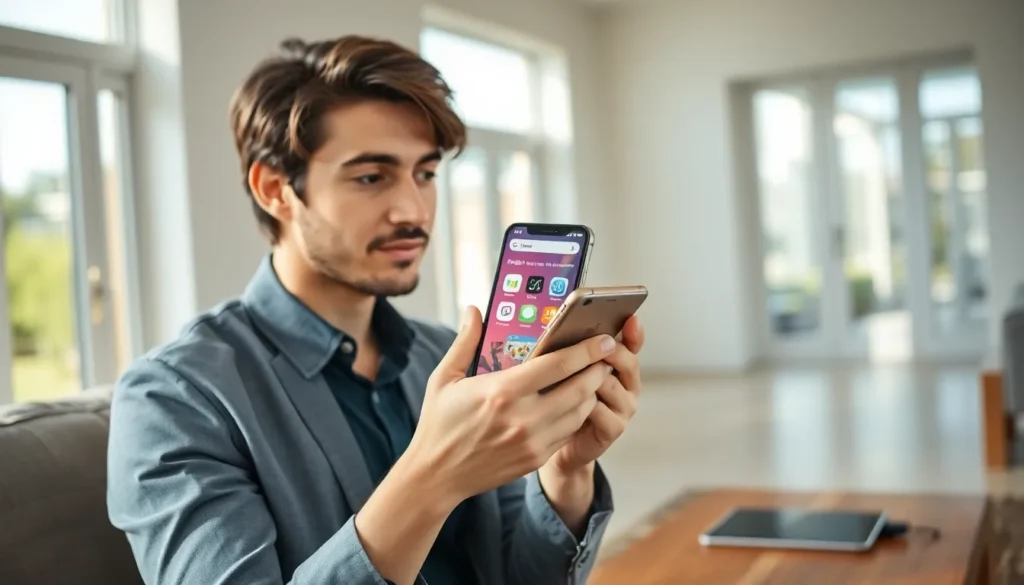

Mobile apps for beginners can feel overwhelming at first. Millions of apps exist across the Apple App Store and Google Play Store. Where does someone even start? This guide breaks down everything a new user needs to know about mobile apps. It covers what apps are, which types matter most, how to download them safely, and how to protect personal information along the way. Whether someone just got their first smartphone or wants to understand apps better, this simple guide provides the foundation they need.
Table of Contents
ToggleKey Takeaways
- Mobile apps for beginners should start with essential utilities like messaging, email, maps, and productivity tools rather than downloading dozens of apps at once.
- Always download apps from official sources—the Apple App Store or Google Play Store—to avoid malware and security risks.
- Review app permissions carefully before granting access; a flashlight app doesn’t need your contacts, and a photo editor doesn’t need your microphone.
- Check app reviews, ratings, and developer information before installing to ensure you’re downloading trustworthy software.
- Keep your apps updated regularly to fix security vulnerabilities and protect your personal information.
- Use strong, unique passwords for each app account and consider a password manager to keep track of them all.
What Are Mobile Apps and How Do They Work?
A mobile app is a software program designed to run on smartphones and tablets. The word “app” is short for “application.” These programs perform specific tasks, from sending messages to tracking fitness goals.
Mobile apps work differently than websites. While websites run through a browser, apps install directly onto a device. This gives them access to phone features like the camera, GPS, and notifications.
There are two main types of mobile app platforms:
- iOS apps run on iPhones and iPads. Users download these from the Apple App Store.
- Android apps run on Samsung, Google Pixel, and other non-Apple devices. Users get these from the Google Play Store.
When someone opens a mobile app, it connects to the internet (in most cases) and pulls data from remote servers. A weather app, for example, fetches current conditions from a weather service. A social media app loads posts from that platform’s database.
Some apps work offline too. Calculator apps, note-taking apps, and many games don’t need an internet connection. They store everything locally on the device.
Mobile apps for beginners typically fall into the “free” category. These apps make money through ads or optional paid upgrades. Paid apps charge upfront but usually offer an ad-free experience.
Essential Types of Apps Every Beginner Should Know
New smartphone users should familiarize themselves with several categories of mobile apps. Each type serves a different purpose in daily life.
Communication Apps
These apps let people stay in touch. Popular options include:
- Messaging apps like WhatsApp, iMessage, and Facebook Messenger
- Email apps like Gmail and Outlook
- Video calling apps like Zoom and FaceTime
Most smartphones come with basic messaging and email apps pre-installed.
Social Media Apps
Social media apps connect users with friends, family, and communities. Facebook, Instagram, TikTok, and X (formerly Twitter) dominate this space. Beginners often start with one platform and expand from there.
Productivity Apps
These apps help users get things done. Calendar apps track appointments. Note apps store ideas and lists. Document apps like Google Docs let people create and edit files on their phones.
Entertainment Apps
Streaming services like Netflix, YouTube, and Spotify fall into this category. So do mobile games. Entertainment apps make up a huge portion of total app downloads worldwide.
Utility Apps
These practical apps include:
- Maps and navigation (Google Maps, Apple Maps)
- Weather forecasts
- Calculators and flashlights
- Banking and finance apps
Mobile apps for beginners should start with utilities they’ll actually use. There’s no need to download dozens of apps on day one.
How to Download and Install Your First App
Downloading a mobile app takes just a few steps. The process differs slightly between iPhone and Android devices.
On iPhone (iOS)
- Open the App Store (blue icon with a white “A”)
- Tap the Search tab at the bottom
- Type the app name in the search bar
- Tap Get next to the app
- Confirm with Face ID, Touch ID, or Apple ID password
- Wait for the app to download and install
On Android
- Open the Google Play Store (colorful triangle icon)
- Tap the search bar at the top
- Type the app name
- Tap Install next to the app
- Accept any permission requests
- Wait for the download to complete
Once installed, the app icon appears on the home screen. Tap it to open the app.
Some tips for first-time downloads:
- Check the reviews. Apps with high ratings and thousands of reviews are generally trustworthy.
- Look at the developer. Legitimate companies list their names clearly.
- Watch the download size. Large apps take longer to download and use more storage space.
Mobile apps for beginners should stick to well-known apps at first. This reduces the risk of downloading something unreliable or confusing.
Tips for Staying Safe While Using Mobile Apps
Safety matters when using mobile apps. Beginners should develop good habits early.
Download From Official Sources Only
The Apple App Store and Google Play Store screen apps for malware. Third-party app stores don’t offer the same protection. Stick to official sources.
Review App Permissions
Apps request access to phone features like the camera, microphone, contacts, and location. Before granting permission, ask: “Does this app need this access?” A flashlight app doesn’t need contact access. A photo editing app doesn’t need the microphone.
Both iOS and Android let users review and change permissions in Settings.
Keep Apps Updated
Developers release updates to fix security holes. Enable automatic updates or check for updates regularly. Outdated apps create vulnerabilities.
Use Strong Passwords
Many mobile apps require accounts. Use unique, strong passwords for each one. A password manager app can help track them all.
Watch for Scams
Some apps try to trick users into:
- Subscribing to expensive services
- Entering credit card information unnecessarily
- Clicking fake “virus warning” pop-ups
Legitimate apps don’t pressure users or use scare tactics. If something feels wrong, close the app and delete it.
Mobile apps for beginners become much safer when users stay alert and question unusual requests.


