
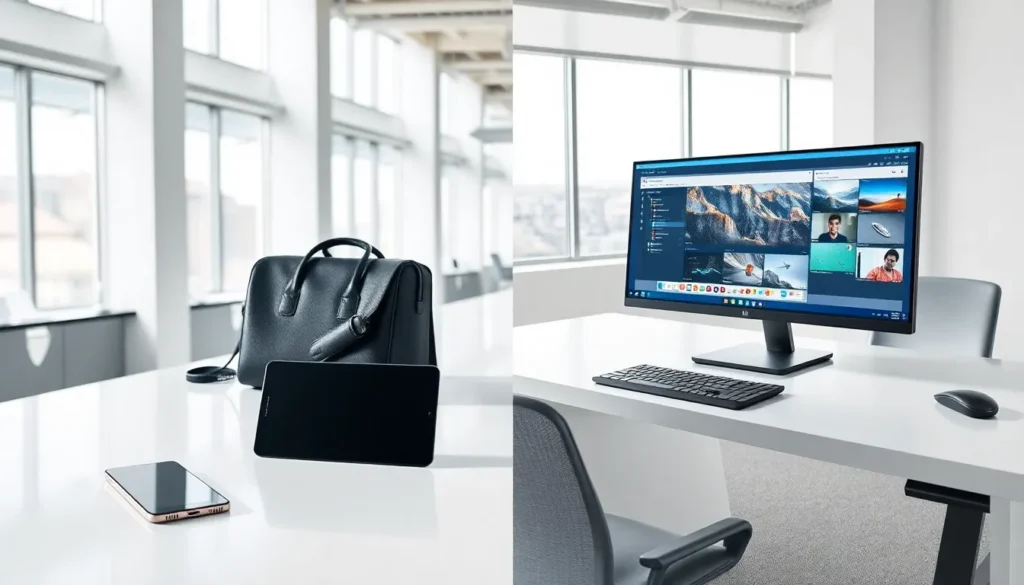

Mobile vs desktop, it’s a decision millions of people face every year. Whether they’re buying a new device for work, school, or entertainment, the choice between these two platforms shapes how they interact with technology daily. Each option brings distinct strengths to the table. Mobile devices offer freedom and flexibility. Desktop computers deliver raw power and larger screens. The right choice depends on individual needs, budget, and lifestyle. This guide breaks down the key differences between mobile and desktop platforms, helping readers make an well-informed choice that fits their specific situation.
Table of Contents
ToggleKey Takeaways
- Mobile vs desktop comes down to your priorities—portability and flexibility favor mobile, while raw power and larger screens favor desktop.
- Mobile devices excel for frequent travelers, casual users, and those who need computing on the go with 10-15 hours of battery life.
- Desktop computers outperform mobile devices for demanding tasks like video editing, 3D rendering, and gaming due to superior cooling and full-size components.
- Desktops offer better long-term value, lasting 5-7 years with upgradeable components, while smartphones typically need replacement every 3-4 years.
- Screen size significantly impacts productivity—27-inch monitors enable multitasking, while 6-inch smartphone screens limit workspace.
- Choose mobile for portability and content consumption; choose desktop for professional creative work, gaming, or extended daily computer use.
Key Differences Between Mobile and Desktop Devices
The mobile vs desktop debate starts with understanding what sets these platforms apart. Both serve as computing devices, but they approach the job differently.
Portability and Convenience
Mobile devices win the portability contest hands down. Smartphones and tablets fit in pockets, bags, and backpacks. Users can check emails on the train, browse social media at a coffee shop, or video call from anywhere with an internet connection.
Desktop computers stay in one place. They require a dedicated workspace, power outlet, and often multiple peripherals. Moving a desktop setup takes significant effort.
For people who travel frequently or work from multiple locations, mobile devices provide clear advantages. A smartphone weighs a few ounces. A desktop tower, monitor, keyboard, and mouse weigh several pounds combined.
Battery life also factors into convenience. Modern smartphones last 10-15 hours on a single charge. Desktop computers need constant power. This difference matters during power outages or when working outdoors.
Performance and Power
Desktop computers dominate in raw performance. They use full-size processors, dedicated graphics cards, and ample cooling systems. These components handle demanding tasks like video editing, 3D rendering, and gaming at high settings.
Mobile processors have improved dramatically, but physics limits their potential. Small devices can’t dissipate heat as effectively as larger ones. This thermal constraint caps how hard mobile chips can work.
For basic tasks, web browsing, email, document editing, mobile devices perform adequately. For professional work requiring heavy computation, desktops remain the better choice.
Storage capacity follows a similar pattern. Desktop computers commonly offer 1TB or more of storage. Most smartphones provide 128GB to 512GB, with cloud storage filling the gap.
User Experience and Interface
The mobile vs desktop comparison reveals major differences in how people interact with each platform.
Mobile devices use touchscreens as their primary input method. Users tap, swipe, and pinch to control their devices. This interface feels intuitive for casual use. But, typing long documents or editing spreadsheets becomes tedious on a small screen.
Desktop computers rely on keyboards and mice. These tools offer precision and speed for text-heavy work. Professional writers, programmers, and data analysts typically prefer this input method.
Screen size affects productivity significantly. A 27-inch desktop monitor displays multiple windows side by side. A 6-inch smartphone screen limits multitasking options. Users who work with large spreadsheets or compare documents benefit from desktop displays.
Operating systems differ between platforms too. Mobile devices run iOS or Android, optimized for touch interaction and app-based workflows. Desktop computers use Windows, macOS, or Linux, supporting more complex software and file management.
App ecosystems also vary. Mobile app stores offer millions of applications, but many lack the depth of desktop software. Professional tools like Adobe Creative Suite, AutoCAD, and advanced accounting software run best on desktop platforms.
Cost Considerations
Budget plays a major role in the mobile vs desktop decision.
Entry-level smartphones cost $200-$400. Flagship models run $800-$1,500. A capable desktop computer starts around $500-$700 for the tower alone, plus $150-$300 for a monitor.
But, total cost of ownership tells a different story. Desktop computers last 5-7 years with proper maintenance. Smartphones typically require replacement every 3-4 years as batteries degrade and software support ends.
Upgrade potential separates these platforms further. Desktop owners can swap out components, adding RAM, installing larger hard drives, or upgrading graphics cards. Mobile devices offer no such flexibility. When a smartphone slows down, the only option is replacement.
Repair costs also differ. Replacing a desktop keyboard costs $20-$50. Fixing a cracked smartphone screen runs $100-$300. Desktop repairs tend to be simpler and cheaper overall.
For budget-conscious buyers who need long-term value, desktop computers often provide better returns. For those prioritizing mobility over longevity, mobile devices make more sense.
When to Choose Mobile Over Desktop
Certain situations clearly favor mobile devices in the mobile vs desktop equation.
Frequent travelers should prioritize mobile. Business professionals who spend significant time in airports, hotels, and client offices need computing power they can carry. Tablets with keyboard attachments offer a middle ground, more screen space than phones with reasonable portability.
Students often benefit from mobile devices. Tablets work well for note-taking, reading textbooks, and light research. But, students in technical fields like engineering or computer science may need desktop power for specialized software.
Casual users who primarily consume content, streaming videos, browsing social media, reading news, find mobile devices sufficient. They don’t need the extra power desktops provide.
Small business owners managing operations on the go appreciate mobile flexibility. Point-of-sale systems, inventory apps, and communication tools work smoothly on smartphones and tablets.
Desktop computers suit different scenarios. Gamers seeking high frame rates and maximum visual quality need desktop hardware. Creative professionals working with large files in Photoshop or Premiere Pro require desktop processing power. Office workers who spend 8+ hours daily at a computer benefit from larger screens and ergonomic setups.


